ATS Myths vs Reality (2026 Edition)

Stop Believing the Lies
I've reviewed over 50,000 resumes. I've also worked with 8 different ATS platforms—from Greenhouse to Workday to Lever. And I can tell you this: most of what you've read about "beating ATS" is complete nonsense.
The internet is full of terrible advice. Use white text to hide keywords. Repeat the job description word-for-word. Pay $200 for an "ATS-optimized template." None of this works. Some of it will get you automatically rejected.
Here's what ATS systems actually do—and what matters. For comprehensive formatting rules, see our ATS Logic for Professionals guide.
Myth #1: "ATS Systems Rank Resumes by Keyword Count"
The Myth: Load your resume with as many keywords as possible. The more keywords you have, the higher your ATS score.
The Reality: ATS systems don't rank by keyword density. They filter based on required criteria.
Here's what actually happens:
- Recruiter configures filters: "Must have Python, 3+ years experience, Bachelor's degree"
- ATS parses your resume and checks: Do you have these things?
- If YES → You pass the filter
- If NO → You don't
There is no "ATS score" based on keyword count. You either meet the requirements or you don't. Having "Python" written 47 times doesn't help. Having it once in the right context does.
What to Do Instead:
Match your experience to the job requirements naturally. If the job requires "Python," make sure your resume says "Python"—not "Pythonic code" or "scripting languages." Exact matches for required skills matter. Everything else is noise.
Myth #2: "Use White Text to Hide Keywords"
The Myth: Add invisible keywords in white text (white font on white background) to trick ATS into thinking you have the required skills.
The Reality: This is the fastest way to get automatically rejected and potentially blacklisted.
Modern ATS systems detect hidden text. They flag it. And when recruiters see it, they delete your application and make a note: "Attempted to manipulate the system."
I've personally rejected candidates for this. It's not clever—it's dishonest. And it doesn't work.
What to Do Instead:
If you don't have the required skills, either gain them or apply to jobs where you actually qualify. If you're close but missing one skill, address it in your cover letter: "Currently learning Python through [specific course/project]."
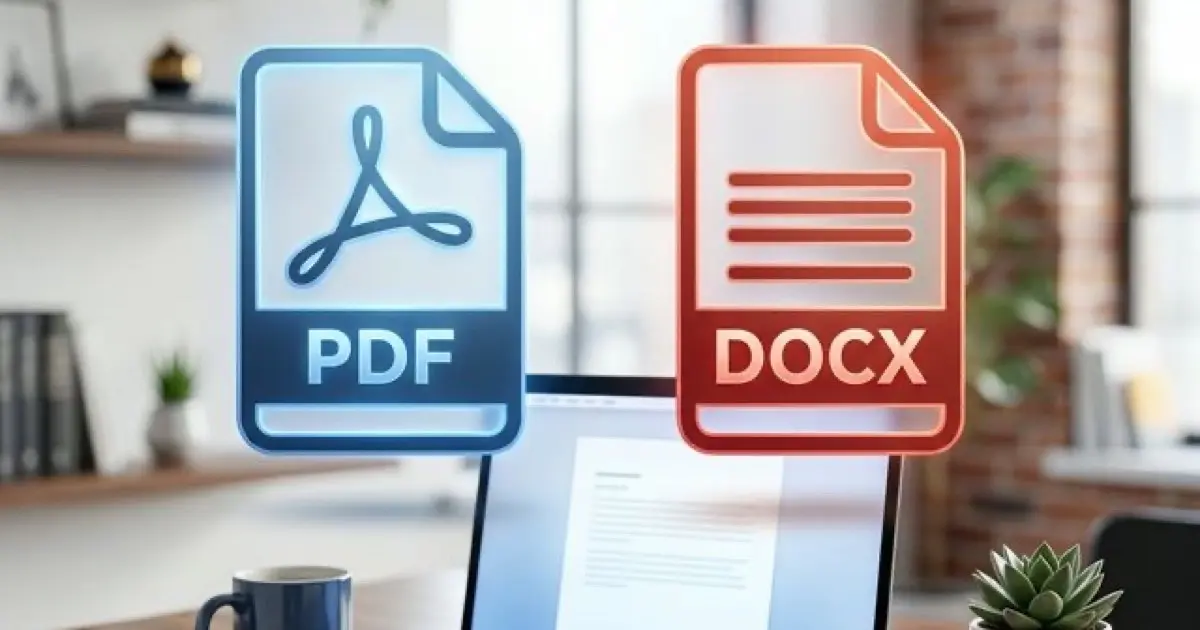
Myth #3: "ATS Can't Read PDFs"
The Myth: Always submit resumes as DOCX. PDFs will fail ATS parsing.
The Reality: Most modern ATS platforms (2024+) parse text-based PDFs correctly. The issue is image-based PDFs or scanned documents—those will fail because there's no actual text to extract.
What to Do Instead:
If you're unsure whether your PDF is text-based, open it and try to select text with your cursor. If you can highlight and copy text, it's text-based. If you can't, it's an image—don't use it.
Safe default: Export as DOCX for online applications. Use PDF for email submissions or networking.
Myth #4: "ATS Requires Exact Section Headers"
The Myth: Use only these exact headers: "Work Experience," "Education," "Skills." Any variation (like "Professional Experience" or "Technical Skills") will break ATS parsing.
The Reality: ATS systems use pattern recognition and context clues—not exact string matching.
Modern parsers recognize standard variations:
What does break parsing:
What to Do Instead:
Use standard, professional headers. Don't get creative. "Work Experience" is fine. "Professional Experience" is also fine. "The Path That Led Me Here" will confuse the parser.
Myth #5: "ATS Can't Read Two-Column Resumes"
The Myth: Never use a two-column layout. ATS will scramble your content.
The Reality: This one is partially true—but context matters.
Some ATS systems struggle with two-column layouts because they parse left-to-right, top-to-bottom. If you have "Experience" in the left column and "Skills" in the right, the parser might mix them together.
However:
- Some modern ATS platforms handle columns correctly
- If you're emailing your resume directly to a recruiter (no ATS), columns are fine
- If you're applying to a design/creative role where visual presentation matters, columns may be worth the risk
What to Do Instead:
For online applications (ATS-submitted): Use single-column layouts. Don't risk it.
For direct email submissions or networking: Two-column layouts are fine if they improve readability.
For senior/executive roles where you're working directly with a recruiter: Use whatever looks best—they're reading the PDF, not running it through an ATS.
Myth #6: "ATS Rejects Resumes with Typos"
The Myth: ATS systems automatically reject resumes with spelling or grammar errors.
The Reality: ATS systems don't check grammar or spelling. They parse structure and extract data.
If you write "Pyton" instead of "Python," the ATS won't flag it as an error—but it also won't match the keyword filter for "Python." So you'll fail the filter anyway.
The bigger issue: humans reject resumes with typos. If a recruiter sees "Pyton," they assume you didn't proofread. That's the real penalty.
What to Do Instead:
Proofread for humans, not ATS. Use exact keyword matches for required skills. If the job says "Python," write "Python." If it says "Project Management," write "Project Management"—not "Managing Projects."
Myth #7: "You Need an 'ATS-Optimized Template'"
The Myth: Pay $50-$200 for a special "ATS-optimized template" that guarantees your resume will pass screening.
The Reality: There is no magic template. ATS-friendly formatting is straightforward: single-column, standard headers, simple bullets, standard fonts, text-based file.
Any free Google Docs or Word template that meets those criteria will work fine. You don't need to pay for "optimization."
What to Do Instead:
Use a clean, professional template from Google Docs, Microsoft Word, or Overleaf (LaTeX). Make sure it:
That's it. You're ATS-friendly.
Myth #8: "ATS Filters Out Most Resumes Automatically"
The Myth: 75% of resumes are rejected by ATS before a human ever sees them.
The Reality: This stat is misleading. ATS doesn't "reject" resumes—recruiters configure filters, and those filters eliminate candidates who don't meet minimum requirements.
If the job requires a Bachelor's degree and 5 years of experience, and you don't have those, you'll get filtered out. That's not ATS being unfair—that's you not meeting the requirements.
The real issue: Most candidates apply to jobs they're not qualified for. They ignore the requirements and apply anyway, hoping for a miracle. Then they blame ATS when they get auto-rejected.
What to Do Instead:
Only apply to jobs where you meet at least 80% of the required qualifications. If you meet 100% of the "nice-to-haves" but only 50% of the "required" skills, you'll likely get filtered out. Save your time. Apply to jobs where you actually qualify.
Myth #9: "ATS Can't Read Special Characters"
The Myth: Avoid using &, %, $, or any special characters. ATS will break.
The Reality: ATS systems parse standard characters fine. The issue is context.
What to Do Instead:
Use standard characters for data (%, $, &). Don't use decorative symbols for bullets or section dividers.
Myth #10: "ATS Can Read Everything Now"
The Myth: Modern ATS systems are so advanced, formatting doesn't matter anymore.
The Reality: ATS systems have improved, but they're not magic. They still follow parsing rules. They still fail on certain formats.
The safest approach: Assume the ATS is basic. Format for the lowest common denominator.
What Actually Matters:
Need a resume that works for both ATS and humans? Use our builder.
What ATS Systems Actually Do
Let's clarify what ATS systems actually do:
1. Parse Your Resume
ATS extracts your name, contact info, job titles, dates, education, skills, and work history. If it can't parse these fields, your resume is incomplete in the system.
2. Apply Filters
Recruiters set filters based on job requirements:
- Required skills (e.g., "Must have Python")
- Years of experience (e.g., "3+ years")
- Education level (e.g., "Bachelor's degree or higher")
- Location (e.g., "Within 50 miles of New York")
If you don't meet the filters, you get filtered out. This isn't ATS being unfair—this is you not meeting the requirements.
3. Store Your Resume
ATS is a database. Your resume sits in the system for future searches. If a recruiter searches for "Product Manager with SQL experience" six months later, and your resume has those keywords, you might get contacted even if you applied to a different role.
That's it. ATS doesn't "rank" resumes by keyword density. It doesn't use AI to judge your "cultural fit." It doesn't automatically reject you for typos or creative formatting (though humans will).
What Actually Gets You Rejected
If you're getting auto-rejected, it's usually one of these:
Notice what's not on this list:
- "Your resume had too few keywords"
- "Your resume wasn't ATS-optimized"
- "You didn't pay for a special template"
The Real ATS Strategy
Stop worrying about "beating" ATS. Follow these rules instead:
Rule #1: Format for Parsing
Single-column, standard headers, simple bullets, standard fonts, text-based file. Done.
Rule #2: Match Required Skills Exactly
If the job says "Python," write "Python." If it says "Project Management," write "Project Management." Don't get creative with synonyms.
Rule #3: Only Apply Where You Qualify
If you don't meet at least 80% of the required qualifications, don't apply. You'll get filtered out. Save your time.
Rule #4: Optimize for Humans, Not Robots
Once you pass ATS, a human reads your resume. That human spends 6 seconds scanning. Make sure your bullets have impact, context, and metrics. Otherwise, passing ATS doesn't matter.
Frequently Asked Questions
Do ATS systems rank resumes by keyword density?
No. ATS systems parse and filter resumes based on required criteria, but they don't rank by keyword count. Keyword stuffing doesn't help—exact matches for required skills do.
Will white text on white background trick ATS?
No, and it will likely get you automatically rejected. Most ATS systems detect hidden text and flag it as manipulation. Never use invisible text tricks.
Do ATS systems reject PDFs?
Most modern ATS systems (2024+) parse PDFs correctly if they're text-based. Image-based PDFs or scanned documents will fail. DOCX is still the safest option.
Should I repeat every keyword from the job description?
Only if those keywords accurately reflect your experience. ATS looks for required skills and qualifications—not keyword density. Natural integration beats stuffing.
Do ATS systems read graphics and icons?
No. ATS parsers extract text only. Any information in graphics, charts, or icons will be lost. Use text for all critical information.
Final Thoughts
ATS systems are not the enemy. They're a technical constraint. Treat them like a parser, not a game to beat.
Format your resume so it parses correctly. Match required skills exactly. Apply only where you qualify. Then focus on writing bullets that prove value, not just list duties.
That's it. No tricks. No hacks. No $200 templates. Just clean formatting and relevant experience.